Create premium reels
in minutes.

Even if you've never edited before.

Post daily and look like you have an editor.
Nothing to learn, nothing to keyframe, no watermark.

Before
After
Auto-cut 0:470:31
silences, bad takes and fillers, found and removed
Stylized captions 33 stylesyours in one click
pick a look once, it lands on every caption
A month of content 1 style12 clips
one look, applied to a folder of clips

Three ways to post
an entire month of content.

Two of them start with a contract and a meeting. One starts free.

A content agency
+$2,500/mo
Strategy calls, a content plan, a team you brief every week.

Usually on a three-month minimum.

First 100 users only
Captee
From$19.50/mo
An entire month of content, done in a few clicks. You own the style. No random templates everyone else is using.

Try it on your own content, free.
Then less than $1 per video, cancel any time.

Try 3 videos free
An editing service
+$1,500/mo
Your business relies on how fast content is delivered: rounds of revisions, and skilled people to manage.

“Unlimited” usually means 8 to 12 videos. It's in the FAQ.

How it works

Nobody wants to spend hours editing.
They want to create more.

1 2 3 Ready to post Upload Pick a style Review
1Upload 2Pick a style 3Review Ready to post Almost done ✦ New video posted
In CapteeUpload → pick a style → review → postminutes · a new video posted
Who is it for

For one person who needs to look like a whole content team.

Simple to use, built for speed. If you're the one filming it, editing it and posting it, this was built for you.

  • You film yourself, usually on your phone
  • You want to post most days, not once a week
  • You've never opened editing software, and don't want to
  • You'd rather spend the hour creating than editing
What it does
Silences, bad takes, fillersCut in one click
Captions in 33 stylesTimed to the word
Reframe to verticalSpeaker stays centred
Zooms & punch-insPick from a library
Your own b-rollNot stock footage
Text & backgroundsWrite your own hook
Batch WorkflowA month of content in one click
ExportUp to 4K · 60fps · no watermark
Your own unique styleBuilt in Studio
Posting to IG, TikTok, YouTubeComing soon
That's not it

Tired of the same templates
on every single feed?

Create unique caption styles using Captee studio.
Style that nobody else is using

Captee Studio: “My look” Save style
My styles
My look
Podcast Blue
Bold Red
Built in
Clean Pop
Gold Bounce
Serif Rise
STOP DOING THIS EVERY MONDAY
Motion
AnimationBounce · word-fed
Word delay
Rotate motionsOn
Type
Font · line 1Archivo Black
Font · line 2Inter Bold
Words per line3 / 2
Look
Outline4px
Glow

A month of content
for less than one reel.

Post every day without burning out, and look like you have a team.

One-time opportunity
Creator
For making videos.
$390$195/year
Founding rate, your first year locked applied at checkout · cancel any time
  • 20videos /mo3 minexport10 minupload
  • Auto Cut removes silences, fillers and bad takes
  • Auto Reframe keeps you in shot
  • Zooms you pick from a library, no keyframing
  • Your own b-roll, not stock footage
  • Stylized captions, timed to the word
  • Customize any of the 33 styles
  • Save up to 5 custom styles
  • The Edit tab fixes any cut and adds text and backgrounds
  • 2K export at 60fps, no watermark
Start Creator
Most popular
Pro
For running a content operation.
$790$395/year
Founding rate, your first year locked applied at checkout · cancel any time
  • 50videos /mo5 minexport20 minupload
  • Everything in Creator, plus:
  • 4K export at 60fps
  • Unlimited custom styles
  • Studio is where you build your own styles
  • Batch Workflow, a month of content in a few clicks
Start Pro

Billed monthly, cancel any time. Re-exports of the same project are free and don't count towards your videos.

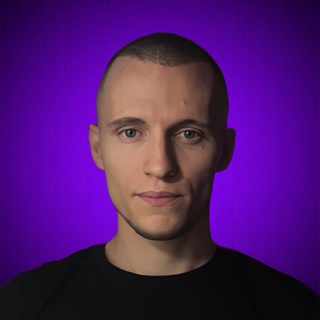
Patrik Key, founder of Captee Patrik Key Founder, Captee

I used to deliver 50 to 100 reels a month for clients, on a laptop, while I was travelling the world. Editing was never the hard part. The hard part was that every good clip cost me another four hours I could have spent somewhere else.

So I built a tool that solves that. Drop the clip, get it back edited. My goal was never another editing app to learn, but one that hands the work back done.

This is Captee. It's new, and you'll be one of the first 100 people using it. That's exactly why the founding rate exists. Let's create!

Questions

Can I start now?

Yes, it's open. Start free, no card needed. The first 100 founding members get 50% off for their first 12 months. Monthly, cancel any time.

Do I need to know how to edit?

No, and that's the whole point. You film, drop the clip in and pick a style. Nothing to build, no keyframes, no animations to set. There's a timeline if you ever want to fix a cut by hand, but you never have to open it.

How long does one video take?

Minutes. Four hours a clip is what it used to cost me by hand, which is the reason this exists. You drop a clip in and it's ready while you make coffee.

Will the export match what I see in the preview?

Yes, and it's guaranteed by how it's built rather than by a promise. The preview and the final export are rendered by the same engine, so what you approve is what you post.

What happens if a render fails?

Nothing. A failed export never counts against your videos, and neither do re-exports of the same project.

What if it turns out not to be for me?

That's exactly what the three free videos are for. No card, so there's nothing to cancel and nothing to claim back if you walk away. Run your own footage through it first and decide from what you see, not from what we tell you.

Is there a watermark?

Not on any paid plan. The free trial adds a small watermark while you test-drive. Every paid plan exports clean. The pay-to-remove-the-watermark-on-your-own-work business model is the thing we're replacing.

Can it post to Instagram and TikTok for me?

Scheduling is in build now. Until it lands, Captee gets you a finished, ready-to-post video in minutes. You post it.

What do I need to run it?

Nothing to install. Runs in your browser on any Mac or Windows laptop. The editor needs a desktop-sized screen, so phones and small tablets are not supported yet. You can still sign up, pay and manage your plan from your phone.

A mobile version is coming.